Day Planner & Routines
For structure, routines and flexibility in planning the day.
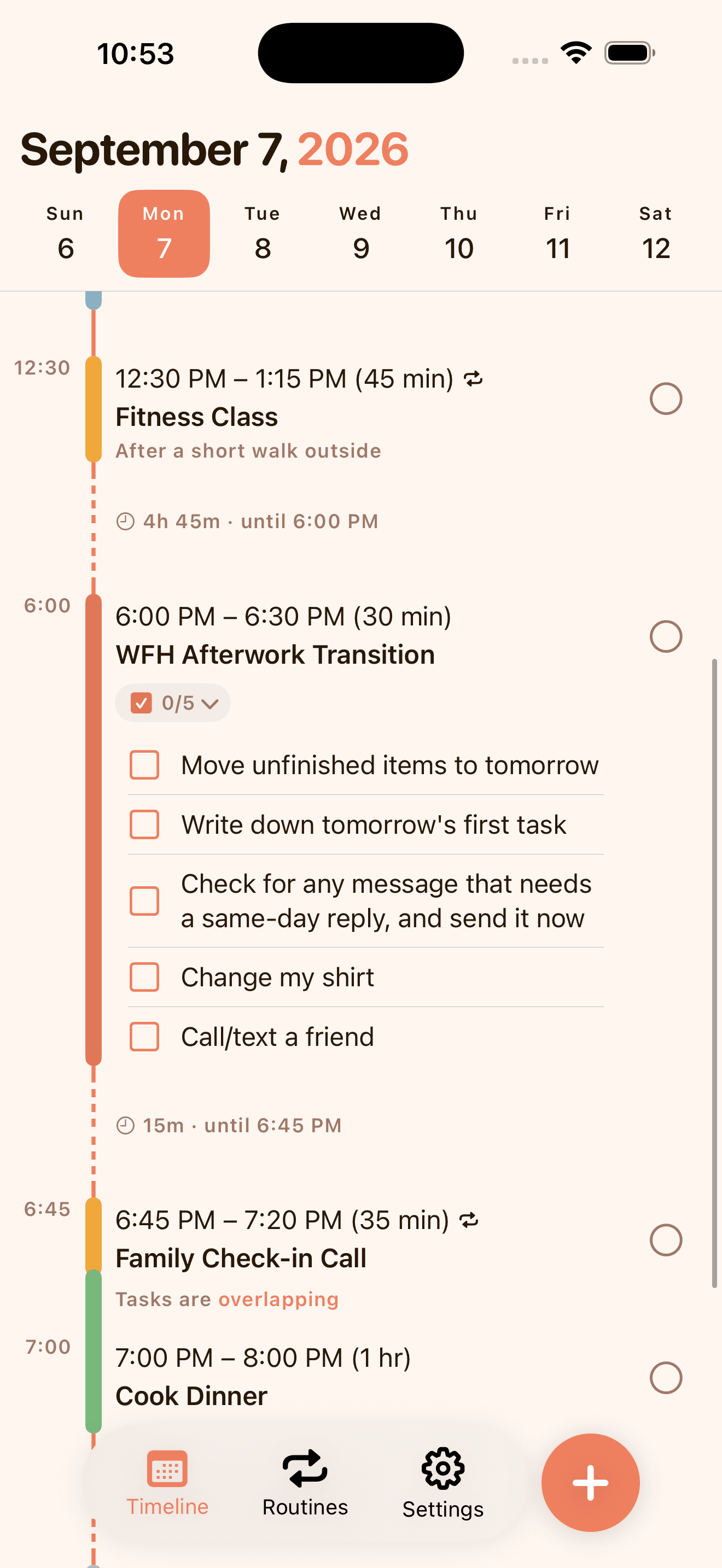
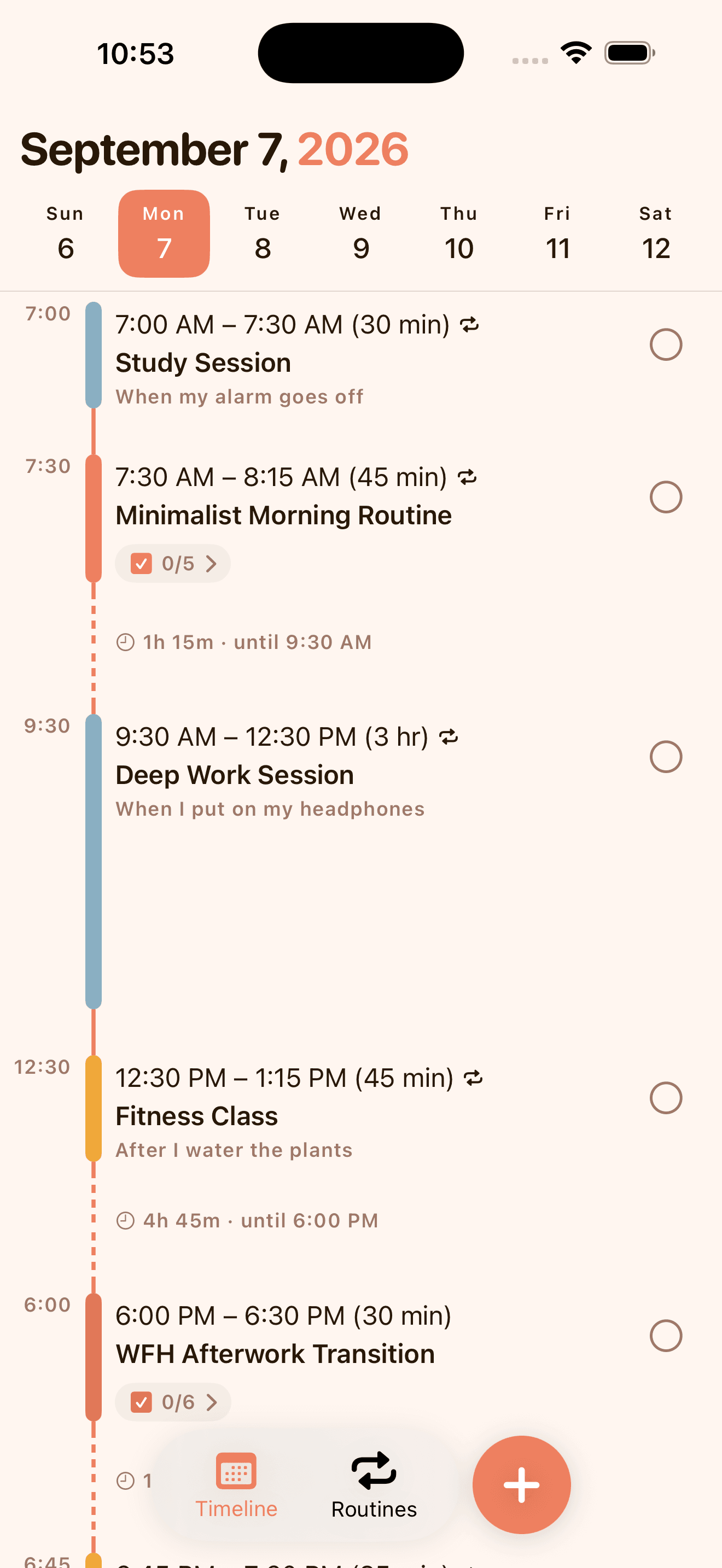
KeepCue is a visual day planner with your calendar, activities, and cue-based routines in one timeline. Time block for structure, then start on time or cue.
Built for iOS · One-time purchase · No sign-up · No subscription
Your whole day
Visual Timeline
View your existing calendar events in KeepCue. See your work and personal life together: find the time you didn't know you had, fix an overlap, or swap an activity just for this week.
How do I view my existing calendar events? →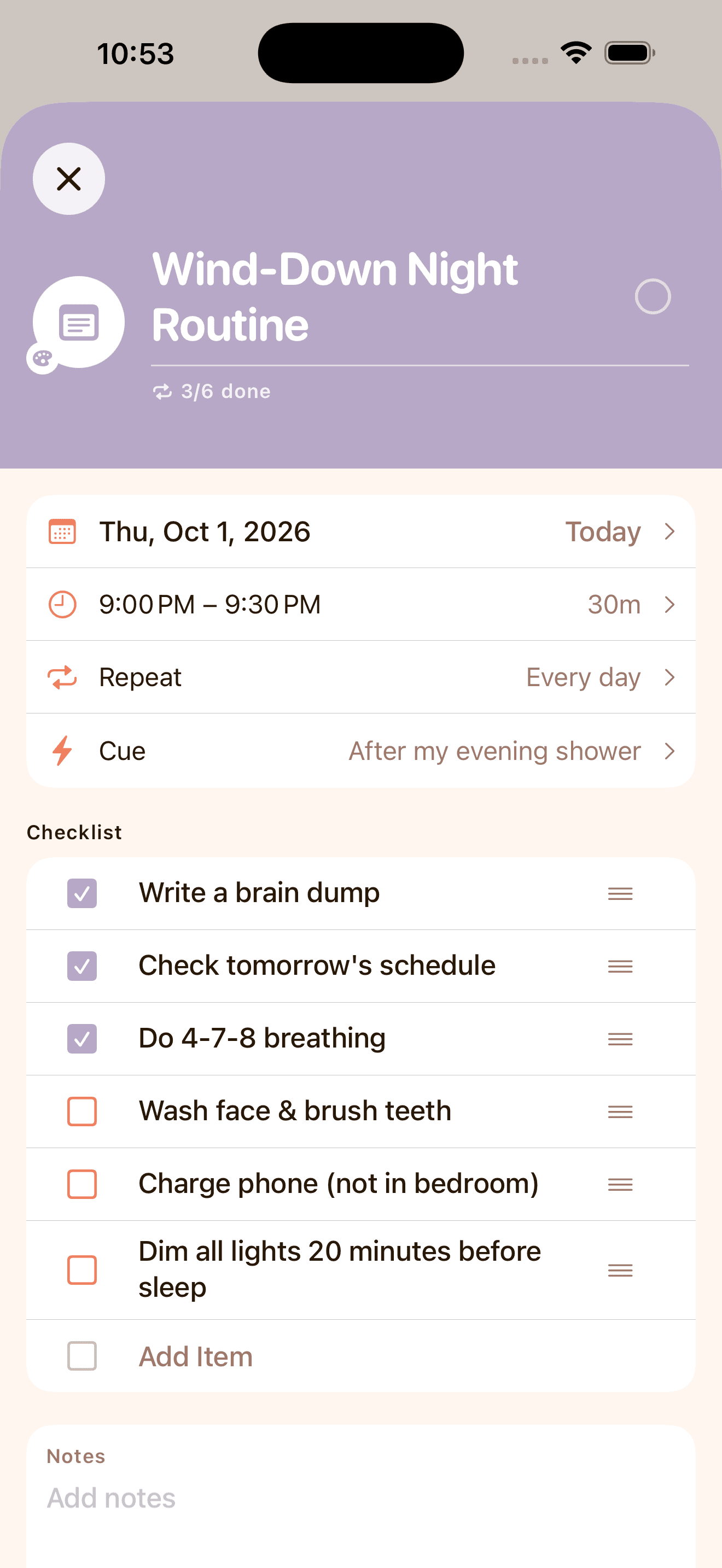
Your own routines
Activities, Routines, Checklists
- Add unlimited activities and routines, anchored to time and real moments.
- Repeat daily, on chosen weekdays, or every few days or weeks.
- Break anything overwhelming into a checklist you can check off one item at a time.
Built for you
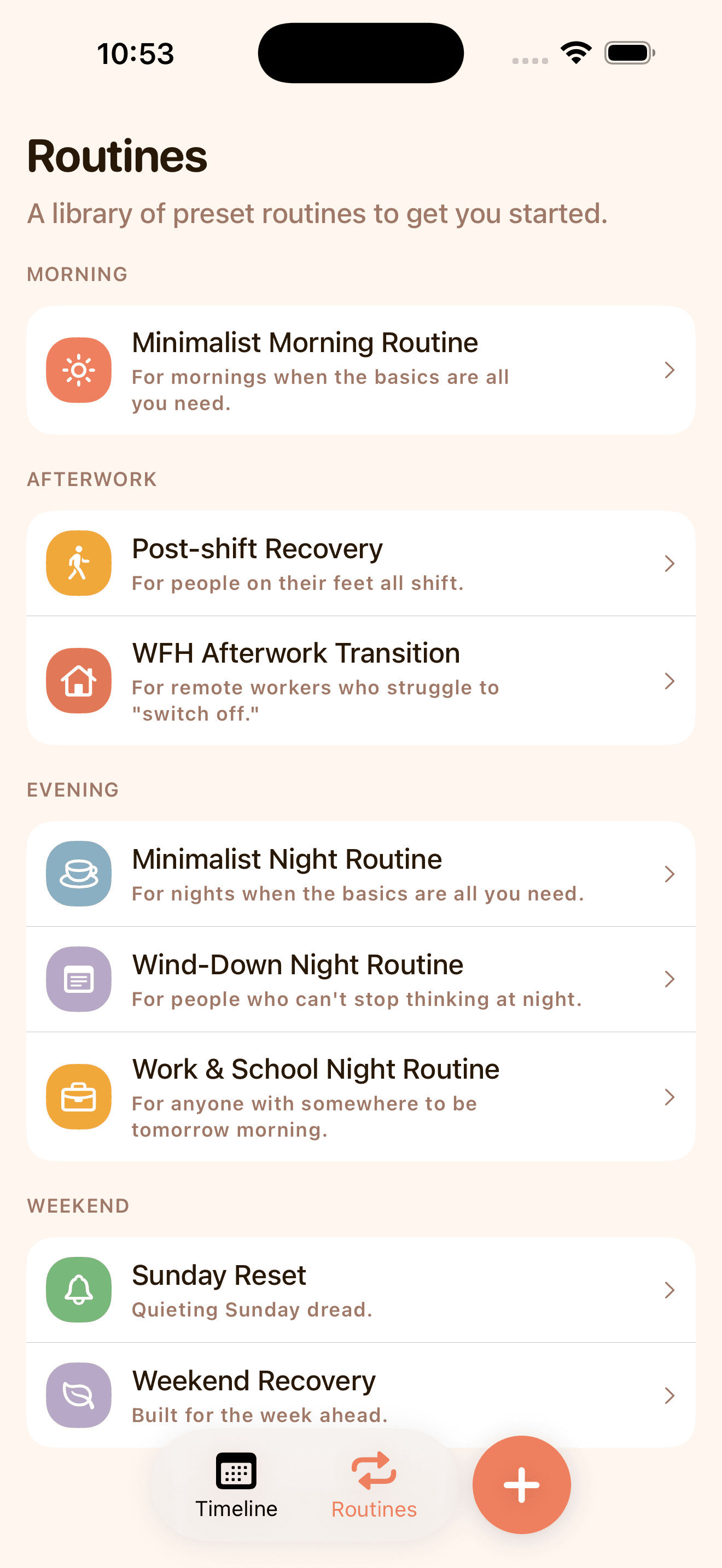
Ready-made Routines
The morning routine that starts your day right, the afterwork routine that transitions you to a different role, the evening routine that gets you prepared for the next day. Easily add full routines to your planner.
Post-shift recoveryWFH afterwork transitionMinimalist night routineWind-down night routineWork & school night routineWeekend recoverySunday resetCore morning routineFull morning routine
Complete your day
Reminders and Completions
- Get a reminder when an activity starts, or 5, 10, 15 or 30 minutes before.
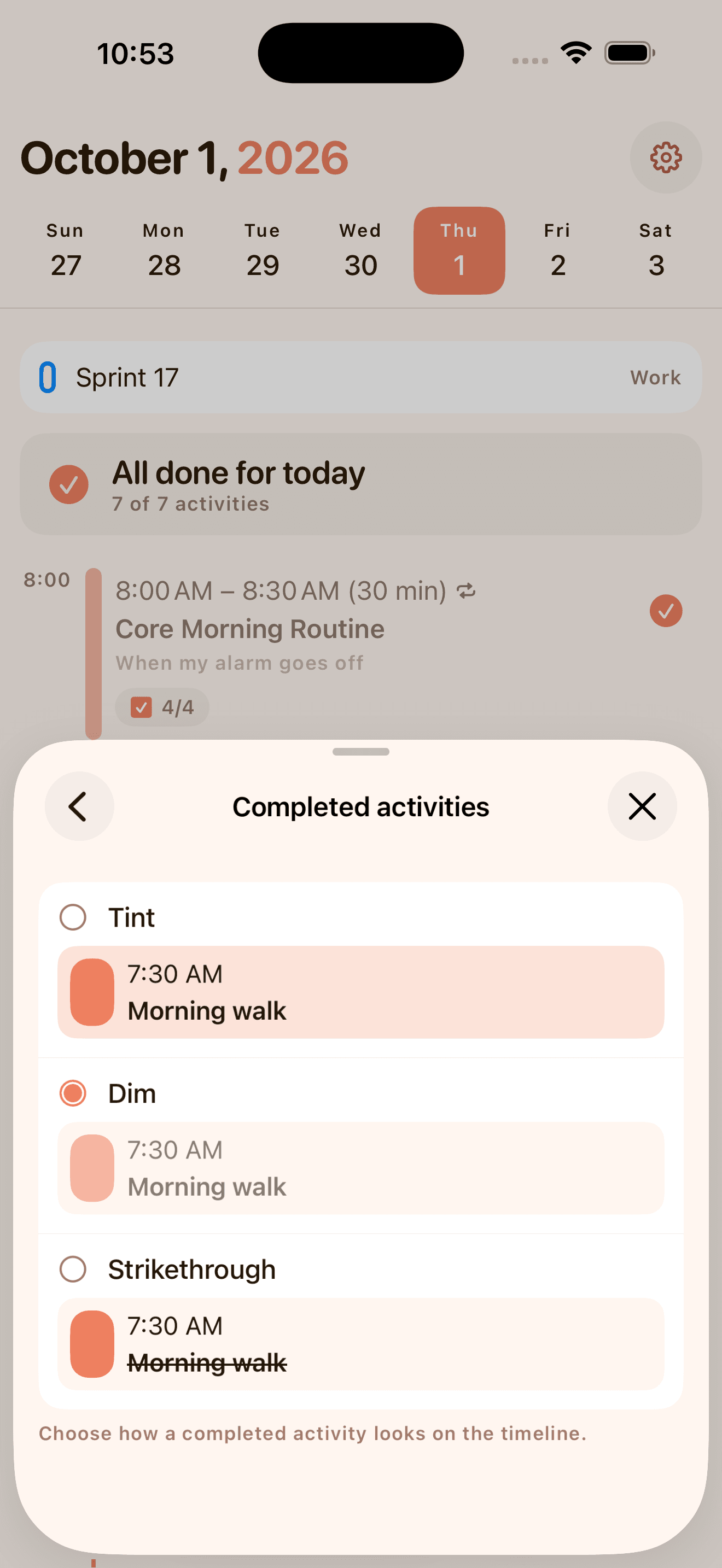
- Choose how a completed activity looks: a color tint, dimmed, or a strikethrough.
Home and Lock Screen Widgets
Your next activity, without opening the app
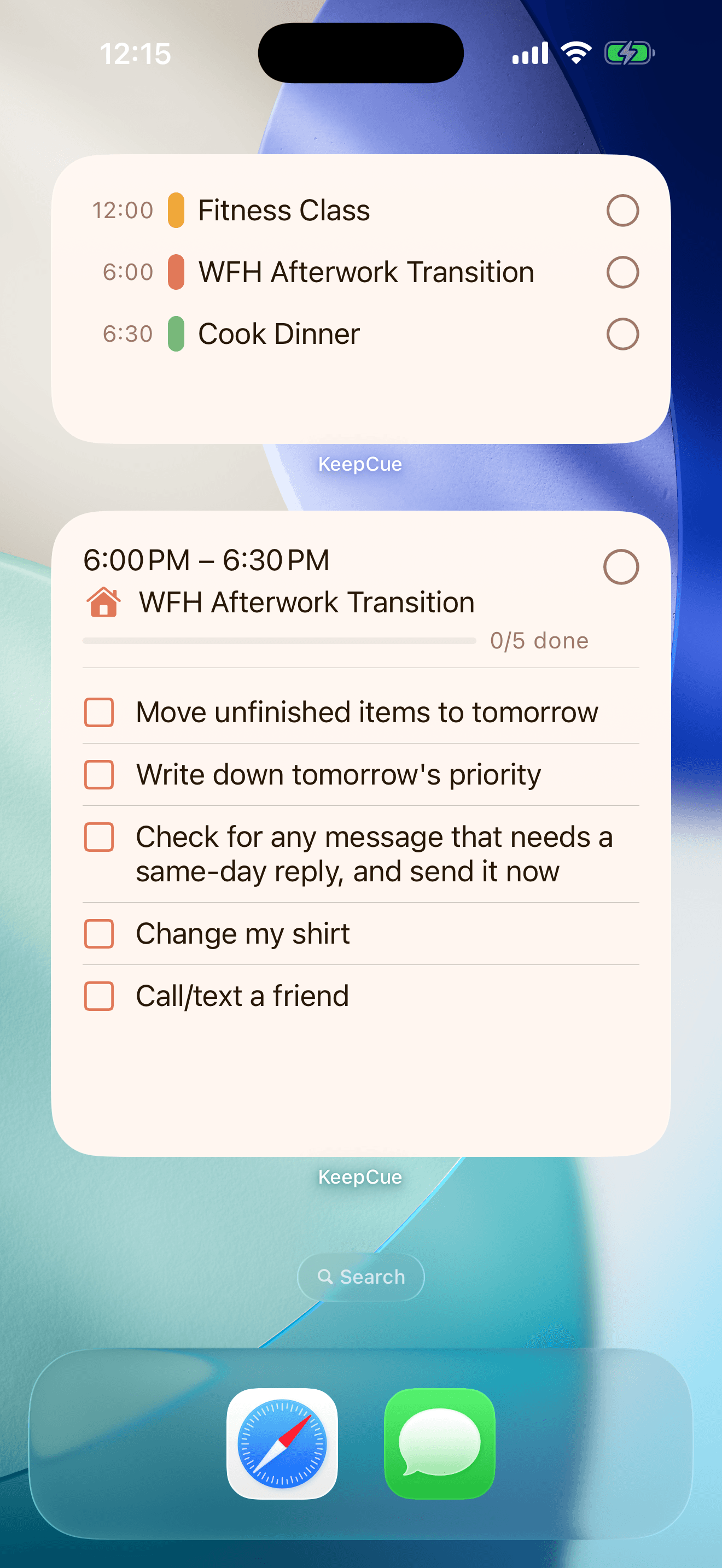
- See the activity you’re on and what’s next, on the Home Screen, the Lock Screen or in StandBy.
- Check off an activity, or a routine’s steps one by one, right on the widget.